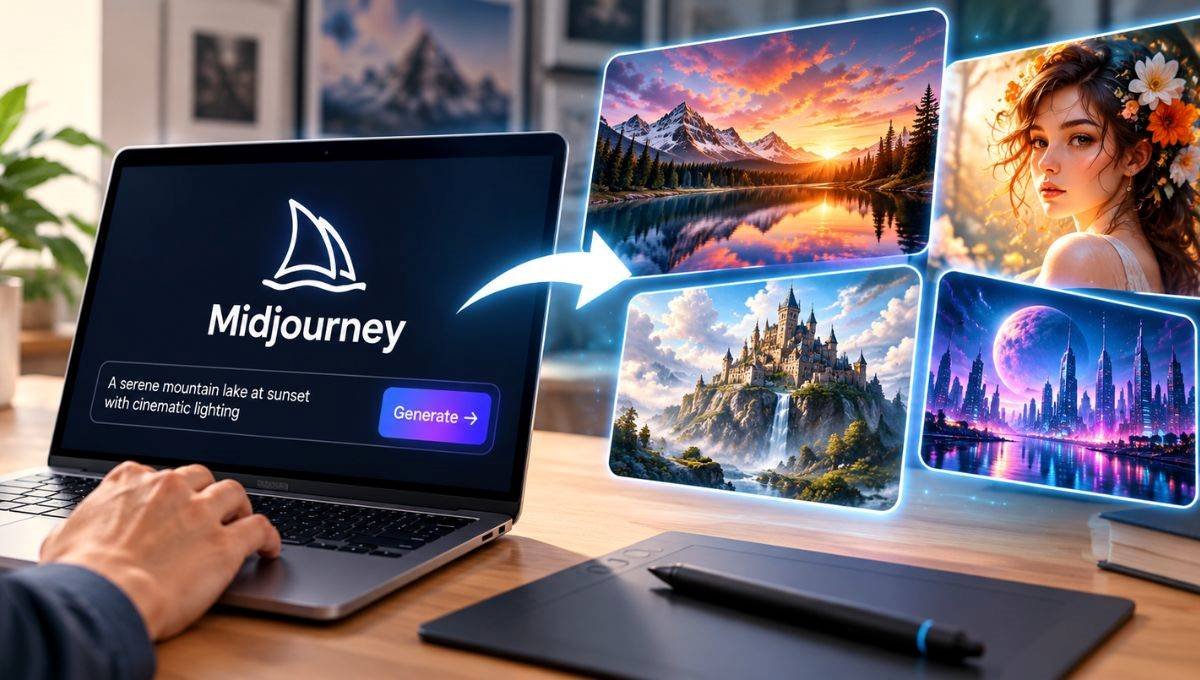

Midjourney is an AI-based creative tool that generates images and videos from text. Designed for use by designers, content makers, marketers, bloggers, artists and businesses to produce unique visuals. Users can type a few simple words about a scene, character, product, environment, or concept, and Midjourney will produce visual results according to their instructions. It’s the same platform where you can edit images, make variations, enhance image quality, personalize your results and make videos. Midjourney is not just an AI image generator; it has evolved into a creative platform that can accommodate various types of visual projects. This article will provide complete information about Midjourney.
What Is Midjourney?
Midjourney is a generative AI solution that produces visual media based on natural language descriptions. Despite having to design each part of an image individually, users can provide their desired descriptions and let AI handle the rest. The user might type a text: “A futuristic city in India at night, cinematic lighting, realistic photography” and Midjourney generates multiple variations on this theme. You can utilize Midjourney to produce illustrations, concept art, marketing graphics, character designs, product concepts, social media images, backgrounds, posters and much more. The platform has also grown to include image editing, personalization and video generation.
Key Features of Midjourney
AI Image Generation
The primary feature of Midjourney is the AI image generation. A detailed text prompt will be entered and images will be created based on that text. Subject, environment, light sources, color, camera angle, artistic style and mood should all be included in the prompt. This makes Midjourney an excellent choice for professional designers and for those who don’t have in-depth graphic-design skills.
Midjourney V8.2
As of now (2026), the default image model of Midjourney is V8.2. It offers enhancements to the image quality, aesthetics, customization, and editing. The latest model allows users to generate more intricate and polished graphics.
AI Video Generation
In addition, Midjourney offers video-generation features. Users create images, work with them and convert ideas into short videos! Video is available based on subscription. The higher tier plans offer more video-producing possibilities and also have access to Relax Mode for some video workflows.
Image Editing
Midjourney offers options to edit created images. Users can modify components of an image, alter elements, make visual changes and make a new version of an image from an existing image. This can be helpful when the first image created is similar to but needs more manipulation to achieve the desired result.
Variations
Variations add to an existing image creating alternate versions. Useful when you appreciate big idea but wish to try out different compositions, details, characters or styles of the visual image.
Image Upscaling
The upscale features in Midjourney can enhance the practical quality of created images. In the cases of preparing an image for presentation, web, social media, marketing purposes or other applications, upscaling can be of benefit.
Personalization
There are personalization options with Midjourney that can learn what a viewer’s preferred images. Customized results can be more representative of the styles and visual aspects of the user’s taste. This could be beneficial for creators who often create images, and wish to produce more consistent visual outcomes.
How to use Midjourney
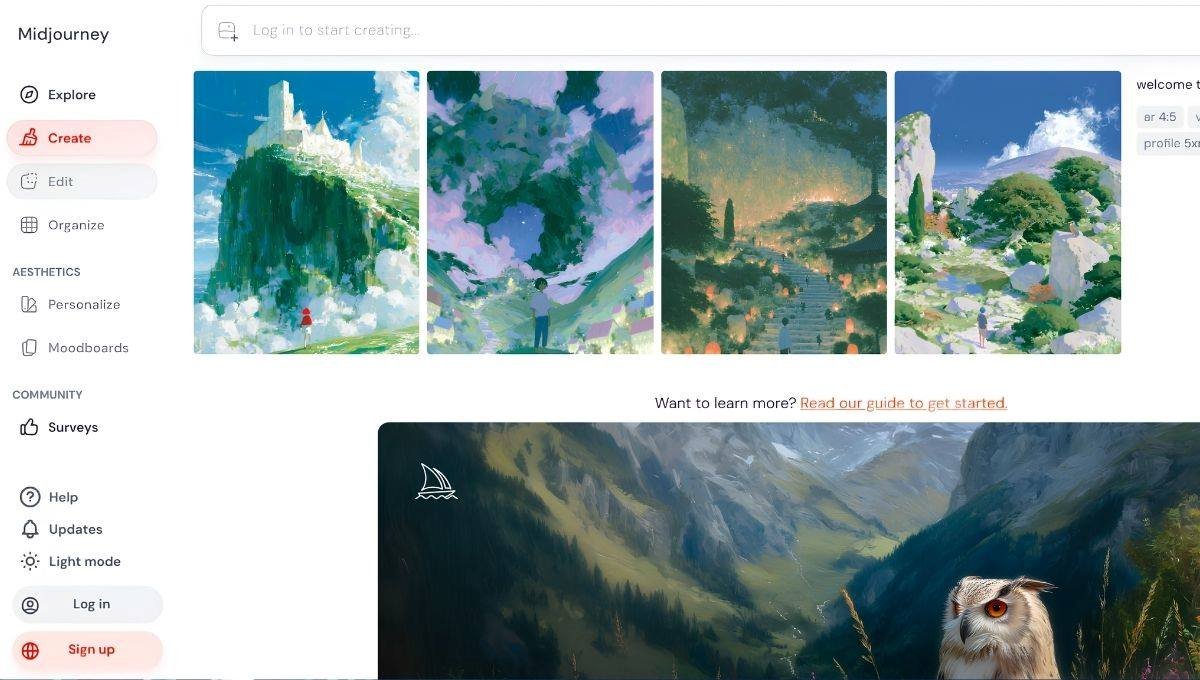
Here are the basic steps to using Midjourney.
- Step 1: Create an Account. Go to MidJourney website and register.Go to MidJourney website and register. Existing users can simply log in to their account.
- Step 2: Choose a Plan. Select a subscription amount according to your needs. Midjourney offers a variety of plans that have varying features and GPU-time limits.
- Step 3: Open the Create Page. Once signed in, click on Create. Here you can add prompts and draw images.
- Step 4: Type in a Prompt. Create a detailed description of the image you want. For example: One Indian businessman in a modern office working with a large window, cityscape in the background, cinematic lighting, extremely detailed and realistic photography.
- Step 5: Generate the Image. Wait for Midjourney to work out the prompt. The platform will give you several visual outcomes according to your instructions.
- Step 6: Choose an Image. Look at the images generated and select the most suitable one you need.
- Step 7: Make Variations or Edit. Variation or editing tools to other changes can be used to the selected image. This is the final step in which the image is downloaded. When you are pleased with the outcome, save the completed picture and apply it to your project.
Midjourney Pricing in 2026
There are four key subscription tiers available on Midjourney: Basic, Standard, Pro and Mega. The pricing listed below is the typical plan structure and subject to change due to billing options, taxes, promotions, and regional factors.
| Plan | Monthly Price | Annual Price | Fast GPU Time | Relax Mode |
| Basic | $10/month | $96/year | 3.3 hours/month | Limited |
| Standard | $30/month | $288/year | 15 hours/month | Unlimited images |
| Pro | $60/month | $576/year | 30 hours/month | Unlimited images and selected video |
| Mega | $120/month | $1,152/year | 60 hours/month | Unlimited images and selected video |
Annual subscriptions can provide a discount compared with paying monthly. Additional GPU time may also be available for users who need more generation capacity. The final amount can vary because taxes and other charges may apply depending on the user’s location.
Midjourney Plan Comparison
| Feature | Basic | Standard | Pro | Mega |
| Image Generation | Yes | Yes | Yes | Yes |
| Fast GPU Time | 3.3 hours | 15 hours | 30 hours | 60 hours |
| Unlimited Relax Images | Limited | Yes | Yes | Yes |
| Video Generation | Yes | Yes | Yes | Yes |
| Advanced Video Access | Limited | Limited | Yes | Yes |
| Stealth Mode | No | No | Yes | Yes |
| Commercial Usage | Yes* | Yes* | Yes* | Yes* |
| Annual Billing | Yes | Yes | Yes | Yes |
*Commercial usage is subject to Midjourney’s terms and specific conditions.
What Is Midjourney Stealth Mode?
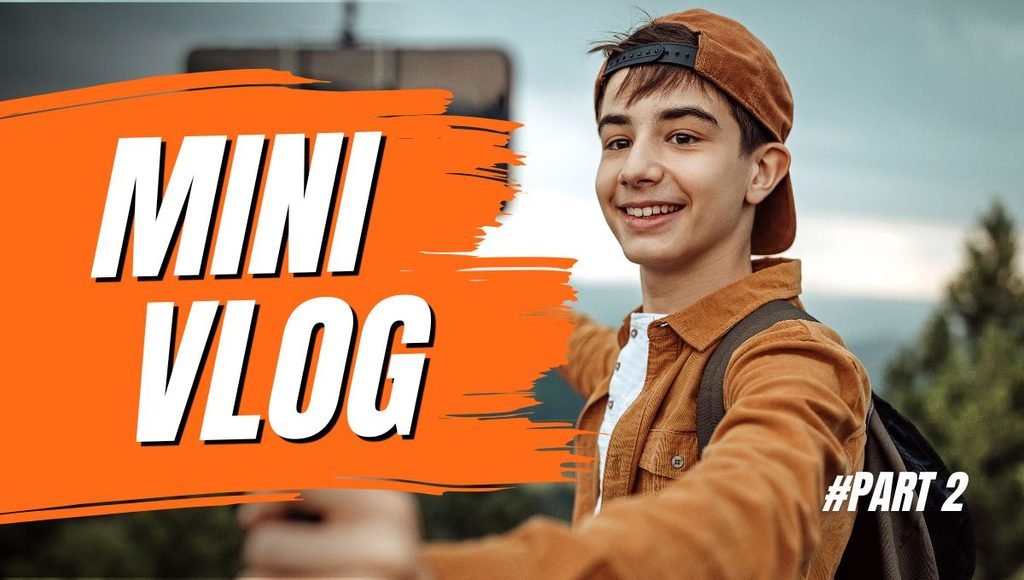
Stealth Mode is a privacy feature of the Pro and Mega plans. It enables the users to keep creations hidden, instead of visible in the regular public MidJourney. This feature might help professional designers, agencies, businesses, or creators for when they need to keep their work private. Learn how to use MidJourney to generate creative content for artists and content creators.
Content creators, whether YouTubers, bloggers, Instagram content creators, marketers, or anyone else, can find this ability of midjourney helpful.
It can help create:
- YouTube thumbnails
- Blog images
- Social media graphics
- Video backgrounds
- Character designs
- Story illustrations
- Posters
- Marketing visuals
- Product concepts
- Website graphics
By leveraging AI, creators can generate visual content that aligns with the needs of different projects, thereby saving time and effort from looking for stock images.
Midjourney for Businesses
Midjourney can generate ideas for business or products, make ads, visualise things, design marketing campaigns, make presentations, or create social media posts.
A company developing a new product may have multiple visual concepts that need to be carefully considered before choosing a direction for the professional production of the product. Yet, enterprises must always check out the newest business terms for Midjourney before leveraging the AI-generated material in business projects.
Midjourney for Designers
Graphic designers can leverage Midjourney for brainstorming and experimenting with various visual concepts.Midjourney can help graphic designers brainstorm and experiment with different visual concepts. It is good to create mood boards, to make up concepts for characters, backgrounds, making illustrations, and doing experiments.
The resulting image doesn’t necessarily have to be the final image. It can be customized by designers as a starting point; further modifications can be made with professional design software.
MidJourney AI Comparison
There are various AI platforms available for creating images. The available tools, such as Midjourney, DALL-E and Stable Diffusion-based, provide different approaches and features.
| Feature | Midjourney | DALL-E | Stable Diffusion |
| Text-to-Image | Yes | Yes | Yes |
| Image Editing | Yes | Yes | Yes |
| Video Generation | Yes | Depends on product | Depends on platform |
| Personalization | Yes | Varies | Depends on model |
| Web Interface | Yes | Yes | Depends on platform |
| Discord Support | Yes | No | Depends on implementation |
| Subscription Options | Yes | Depends on service | Depends on provider |
| Open-Source Ecosystem | No | No | Yes |
| Advanced Controls | Yes | Yes | Highly dependent on tool |
Pros and Cons of Midjourney
| Pros | Cons |
| High-quality AI-generated visuals | Requires a paid plan for regular use |
| Powerful image-generation capabilities | Good prompting takes practice |
| Supports image editing | GPU time can be limited |
| Supports video generation | Different plans have different limits |
| Personalization features | Privacy features require higher plans |
| Useful for creative projects | Some users may find the interface complex initially |
| Supports commercial use under its terms | Commercial terms should be checked carefully |
| Can save significant design time | AI results still require human review |
Is Midjourney Free?
As of now, there’s no general free trial available for the main image generation service of Midjourney. The main service requires generally a paid subscription for users.
There might be a limited trial on the Niji Journey mobile application. The availability and conditions for the trials may vary, users are advised to consult the current conditions before enrolling in a trial.
Should i use Midjourney images commercially?
Midjourney permits its subscribers to utilize their content created by Midjourney for business purposes with respect to its terms and conditions, including images and videos. There are nuances and exceptions. As an example, for businesses that have revenue over a certain threshold, Pro or Mega plans might be required for business purposes. However, users should be aware of a difference between commercial rights (under the terms of the platform) and copyright protection (under local law). There may be variations in copyright laws from country to country.
Tips for Creating Better Midjourney Prompts
Here are several tips to improve your Midjourney Prompts. It may be helpful to communicate visual needs in greater detail by using a detailed prompt.
They might be a useful reminder like:
- Subject – Give a description of the key person or object.
- Environment – Discuss the place where the subject took place.
- Style – Reference realistic, cinematic, illustration, 3D or other style.
- Lighting – Talk about natural light, studio light, dramatic light or a soft light.
- Composition – Discuss close-up, wide, portrait or overhead shots.
- Mood – Talk about your mood / what emotion you want to express.
- Details – Add important visual details.
- Aspect ratio – select a proper picture format.
For example:
Portrait of a young guy entrepreneur with a modern technology office with large windows looking at the city skyline, natural daylight in the morning, realistic photo, professional environment, detailed office area, cinematic composition.
Specific prompts tend to provide the AI with more information on what they are looking to achieve.
Conclusion
Midjourney is an AI-based creative tool that enables users to create images and videos from simple prompts in natural language. It has image generation, editing, variations, personalization, upscaling, aspect ratio and video generation features.
The platform has four subscription tiers: Basic, Standard, Pro and Mega all of which have varying amounts of GPU time and functionality. Higher plans offer features like Stealth Mode, greater video generation and so on. Content creators, designers, marketers, bloggers, businesses, and anyone looking to dive into AI-generated visuals can find Midjourney helpful. Refer to the latest subscription and commercial/comcopyright use terms though, and note the differences between plan types so that users know what to expect before using the content generated for commercial reasons.
FAQs
A1. Midjourney is a generative artificial intelligence that generates images and videos from textual and image inputs.
A2. The principle service of Midjourney normally involves a paid subscription for producing images. Some trial restrictions are possible on its mobile products.
A3. The Basic plan begins at $10 per month, the Standard plan costs $30, the Pro plan costs $60 per month and the Mega plan is set at $120 per month. Also available for annual billing.
A4. V8.2 is the default Midjourney image model in 2026.
A5. In general, a subscriber may use their creations commercially per Midjourney’s terms, requirements and the laws of the land.
Also Read: Grammarly’s AI Features and How They Change the Writing Process